
Overview
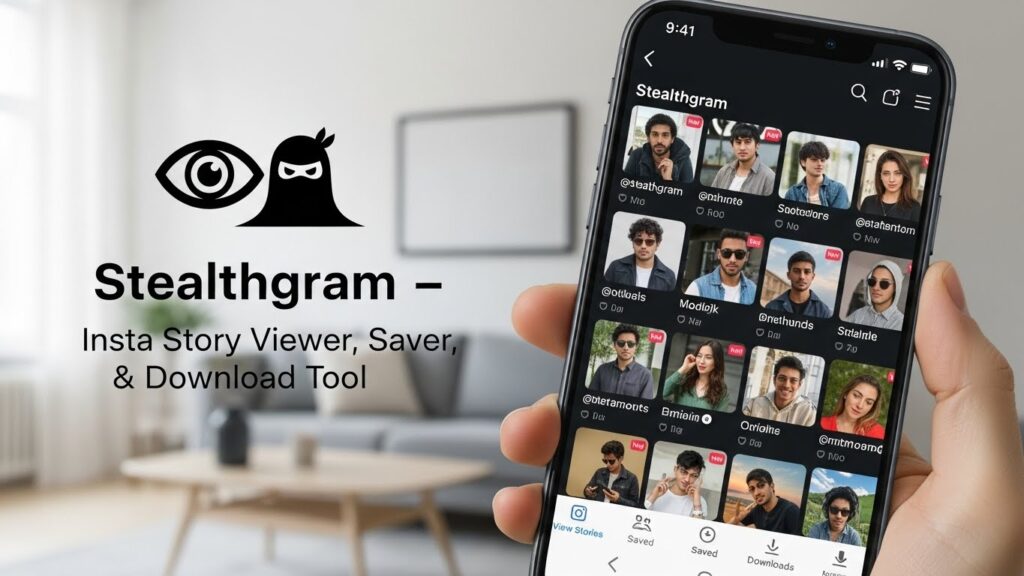
In this guide, I unpack what “stealthgram” typically refers to: an Instagram story viewer, saver, and download tool designed for discreet browsing. I’ll walk through how these tools work, what they can and can’t do, the privacy and security trade-offs, and practical tips so you can make informed choices. My aim is to blend usability pointers with a responsible, security-first perspective.
What Is Stealthgram?
“Stealthgram” is a shorthand term people use for apps or web tools that let you view Instagram Stories, Highlights, Reels, and sometimes posts without logging in or revealing your identity to the content owner. Many tools also add a save or download feature for offline viewing. Because Instagram’s platform evolves frequently, capabilities vary across services and change over time.
Typical Features
- Anonymous story viewing for public profiles
- Highlight and Reel previewing without an account
- Downloading media (photos, videos, covers, and thumbnails)
- Basic search by username or profile URL
- Lightweight usage on mobile browsers with no install required
Common Limitations
- Private accounts are not accessible without approved follower status
- Interactive features (polls, DMs, likes) usually don’t work
- Quality can be limited to the source stream or compressed formats
- Tool reliability fluctuates as Instagram updates its defenses
How Stealth Tools Work
These tools usually proxy public content through their own servers. You enter a username, the tool fetches available media via public endpoints or headless browsing, then renders or packages the media for you. Because the tool, not you, touches Instagram’s servers, your viewing can appear anonymous to the account owner.
Under the Hood
- Server-side fetching prevents your IP from contacting Instagram directly
- Caching reduces repeated requests and speeds up retrieval
- Transcoding may repackage video to web-friendly codecs
- Rate limiting protects the tool from being blocked and shapes your experience
Privacy, Security, and Ethics
Stealth browsing sounds appealing—but it comes with real considerations.
Privacy Considerations
- Anonymity is contextual: the tool sees your IP, device info, and queries
- Login prompts are red flags; avoid tools that demand your Instagram credentials
- Downloads can include metadata; consider scrubbing if you plan to share
Security Risks
- Malware risk from deceptive ads, pop-ups, and fake “download” buttons
- Credential stuffing if you reuse passwords on sketchy clones
- Data leakage via permissive browser permissions
Ethical Use
- Respect creators’ rights and consent; avoid re-uploading without permission
- Follow local laws and Instagram’s terms of use
- Use downloads for personal, time-shifted viewing, not redistribution
Step-by-Step: Using a Stealthgram-Style Viewer
Here’s a simple, tool-agnostic flow you can adapt:
Prepare
- Identify the exact username (watch for lookalikes)
- Confirm the profile is public; private content won’t load
- Use a modern browser with an ad/tracker blocker enabled
View Stories or Highlights
- Enter the username or paste the profile URL into the tool
- Select Stories, Highlights, or Reels from the results
- Let the tool buffer; avoid rapid-fire requests to reduce throttling
Save or Download
- Choose the desired media, then select download or save
- Pick the highest available quality; verify file size and format (MP4/WEBM/JPEG)
- Store files in an organized folder and back up if needed
Feature Checklist: What to Look For
When choosing a viewer/downloader, I weigh features that balance ease-of-use with safety.
Must-Haves
- No login required for public content
- Clear disclosure of limitations and supported formats
- HTTPS encryption and a transparent privacy policy
- Minimal, clearly labeled ads and no forced redirects
Nice-to-Have Extras
- Batch downloads for Highlights or multi-post carousels
- Filename templating (username_date_mediaID) for tidy archives
- Subtitle/auto-caption extraction for Reels where available
- Dark mode and responsive layout for mobile comfort
Troubleshooting and Performance Tips
Even good tools hiccup. These quick fixes help:
If Content Won’t Load
- Double-check the username spelling and the public/private status
- Try a different tool—capabilities vary day to day
- Clear browser cache or switch to a private window
If Downloads Fail
- Pause ad blockers for the final click if the button is blocked
- Test alternative formats and resolutions
- Ensure you have storage permission on mobile
If Quality Is Poor
- Choose the “original” or “source” option if offered
- Avoid re-encoding by downloading once, then archiving
- Verify the content isn’t already compressed on Instagram’s side
Legal and Platform Context
Instagram’s terms restrict automated scraping, redistribution, and unauthorized downloading. While viewing public content via a third-party proxy may be possible, downloading or republishing can violate terms or local copyright law. When in doubt, ask for permission or link back to the original. Treat creators’ work with the same respect you’d want for your own.
Privacy-Friendly Alternatives
If anonymity is your goal, consider options that reduce footprint without third parties:
Within Instagram’s Ecosystem
- Use a separate, compliant account for viewing public content
- Mute or restrict interactions to lower your visibility
Browser-Centric Practices
- Use privacy extensions, disable third-party cookies, and clear site data
- Employ a reputable VPN to separate identity from browsing activity
Frequently Asked Questions
Can I view private stories with a stealth tool?
No. If a profile is private and you’re not an approved follower, third-party tools can’t grant access.
Will the account owner see that I viewed their story?
For public profiles, viewing via a proxy-based tool typically doesn’t register on the viewer list; however, the tool itself logs your request.
Is downloading content legal?
It depends on your jurisdiction and how you use it. Personal, non-commercial time-shifting is often tolerated; redistribution without permission is risky.
Final Thoughts
Stealthgram-style viewers can be convenient for anonymous, quick peeks at public Instagram content and for saving posts you want to revisit. The trade-off is trust—you’re swapping platform tracking for third-party mediation. If you proceed, do it eyes-open: prioritize safety, respect creators, and keep your digital hygiene sharp.